Pages

Friday, March 14, 2014

What is a Blog?


Blogging For Kids is a website and a Pinterest board which has guides and suggestions for blogging with children. (click here)


 "Blogging has entered the mainstream consciousness as a legitimate source of media.”

                                                    - 2012 Josh Catone of Mashable

Why Blog with my child?

There are many reasons to help your child to start blogging. 
- share ideas and collaborate with the global online world
- learn how to communicate due to the possibility of a wider audience
- control your digital footprint and create digital portfolio
- develops their imagination
- opens up the world to them when they view other kid's blogs
- develops their writing and communication skills
- learn about online resources and computer skills in an authentic way


Here is a blog by a girl named Miriam. She maintains one of the best blogs around because it contains posts about her interests , activities and ideas. She always ends her posts with a question to engage her readers. Miriam was a finalist in Best Student Blogs of 2011. She has been blogging for over 3 years.

Sue Wyatt, a retired teacher from Tazmania, is the founder of the annual Student Blogging Challenge which is in its 12th year. Her Student Blogging Challenge engages and challenges children of all ages to learn about blogging by actually blogging. Adult mentors give feedback on posts and other students are invited to do the same. This creates a community of bloggers who are all trying to improve their craft of blogging. 

How to set up a blog

My recommendation is to have your child use Blogger by Google. This blog you are reading is a Blogger platform. It is free and easy to use. You need to set up a Google account for your child first, then open the Blogger App and create the blog in 2 easy steps. Then you are ready to start blogging.


Safety and Parental Supervision of kid's Blogs

Once your child has created a blog, it is important to teach them about online safety.  Parents need to supervise the blogging of their child and here are some ways to do it:

1. Read and approve posts before they are posted
2. Parents should have access to the gmail account of their child and moderate the comments. This can be set up in the settings.
3. Parents can set the blog to be private (by email invitation only) or public.
4. Visit your child's blog frequently. This means their friends blogs as well.
5. Guide your child and confer with them about what they want to post.
6. Look at other children's blogs on the web and discuss them with your child. Use them to help develop good blogging skills.
7. Teach your child to never post personal information on their blog such as full name, address, phone numbers, names of their school, etc

Consider blogging for your child as an opportunity for both of you to learn about the digital world together and develop good, safe, digital behavior.



Thursday, March 6, 2014

Sir Ken Robinson on Common Core, Creativity, & Technology in the Classroom

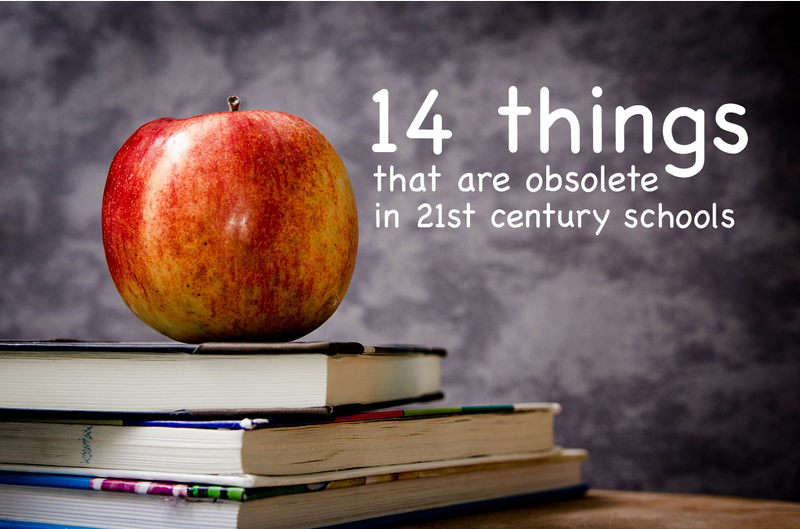
Things That Are Becoming Obsolete in 21st Century Schools

There are several articles and blog posts our there which address the changing face of education and how the current schools need to catch up to 21 st century learning. The focus of education needs to be on the LEARNING not the knowledge, the classes, the coursework....
This article from The Daily Riff (click here) shares 21 things which will be (or already are) obsolete in schools by 2020.


An Icelandic Elementary teacher, Ingvi Hammar, recently wrote about 14 things that are obsolete (or are becoming obsolete) in a 21st century classroom (click here). He says that schools are being innovative and looking at education; the way students learn, the way teachers teach, the classroom environment, professional development and  testing....hoping to spark a discussion in educational circles.

We are living in a transition period in education. Fourteen years into the 21st century, how are we addressing the 21st century skills that prepare students to be productive citizens in the world?


Tuesday, February 25, 2014

What Makes up Your Digital Footprint?

In the Information Age which we are living, understanding what your digital footprint is vital. The pieces that make up your child's digital footprint begin before they were born with their sonogram and the hospital's records, photos you have shared of them growing up. Once a child is in school they have input into their digital footprint and need to be made aware of what this means for them and how to make sure they are making sound choices before they post or search.

Parent guidance is important in helping your child see the importance of caution and careful thought of anything they do in the online world. 

Monday, February 17, 2014

Raha International School is "Happy"

With the help of Ms Laura,  Primary Music Teacher, a group of students created a video for the Pharrell Williams song, "Happy."  Watch and SMILE :-)

Saturday, February 15, 2014

Parental Controls Update

New Parental Controls Nix the Fear, Up the Features

Thanks to Common Sense Media and their vigilant crew of authors who are always keeping updated on the latest in technology. Their newest post is about parental controls and how they are improving the flexibility
that parents have over their child's internet usage. 

While explaining the parental controls in a clear fashion, they still emphasize the need for you to talk with your child and model proper behavior when it comes to using devices. You are your child's first teacher. They watch you. They need guidance from you. If you spend the time keeping updated on parental controls as well as best ways to support your child while they are using devices, as well as keeping the lines of communication open between you, then you both can navigate the waters of online citizenship and, in the long run, equip your child to be a wise user of technology.

____________________________________________

iOS 7 Parental Controls (RESTRICTIONS)

For those parents whose children have iPads, Apple has a special help section on their Apple support
website to guide you to restrict activity on the device.

Firstly, create a for your child with a password that you both know. You should always have access to their iPad. Do this by going to:
SETTINGS/GENERAL/PASSCODE LOCK
You will be asked to create a 4 digit passcode.

In order to set up Restrictions, open the following link: Apple Support Restrictions
It gives you a step-by-step guide to enable restrictions on your child's iPad. The great thing about it is, that in order to  ENABLE or DISABLE the restrictions, another passcode needs to be entered. Warning, this passcode cannot be changed without resetting the iPad to factory restore. So keep the passcode to yourself and don't forget it! :-)

Thursday, February 6, 2014

Destiny Quest For Mobile Devices


Destiny has a FREE app for all mobile devices that allows pupils and teachers alike to browse our library catalog from anywhere. 
Here's how:
- Simply download the Destiny Quest app
- Input our libraries’ URL (libraries.taaleem.ae)
- Select Raha International School PYP Library
- log in as a guest

Pupils and teacher scan use the search function to look for a book title, a research theme or an author. Destiny Quest will let you know if our library has the relevant material  and if it is currently available.

Go to the Apple App Store to find it. Or find it on the Follett Website.

Link for Destiny Quest website